Adding Location During the Onboarding Process
During the Onboarding process locate the Location field
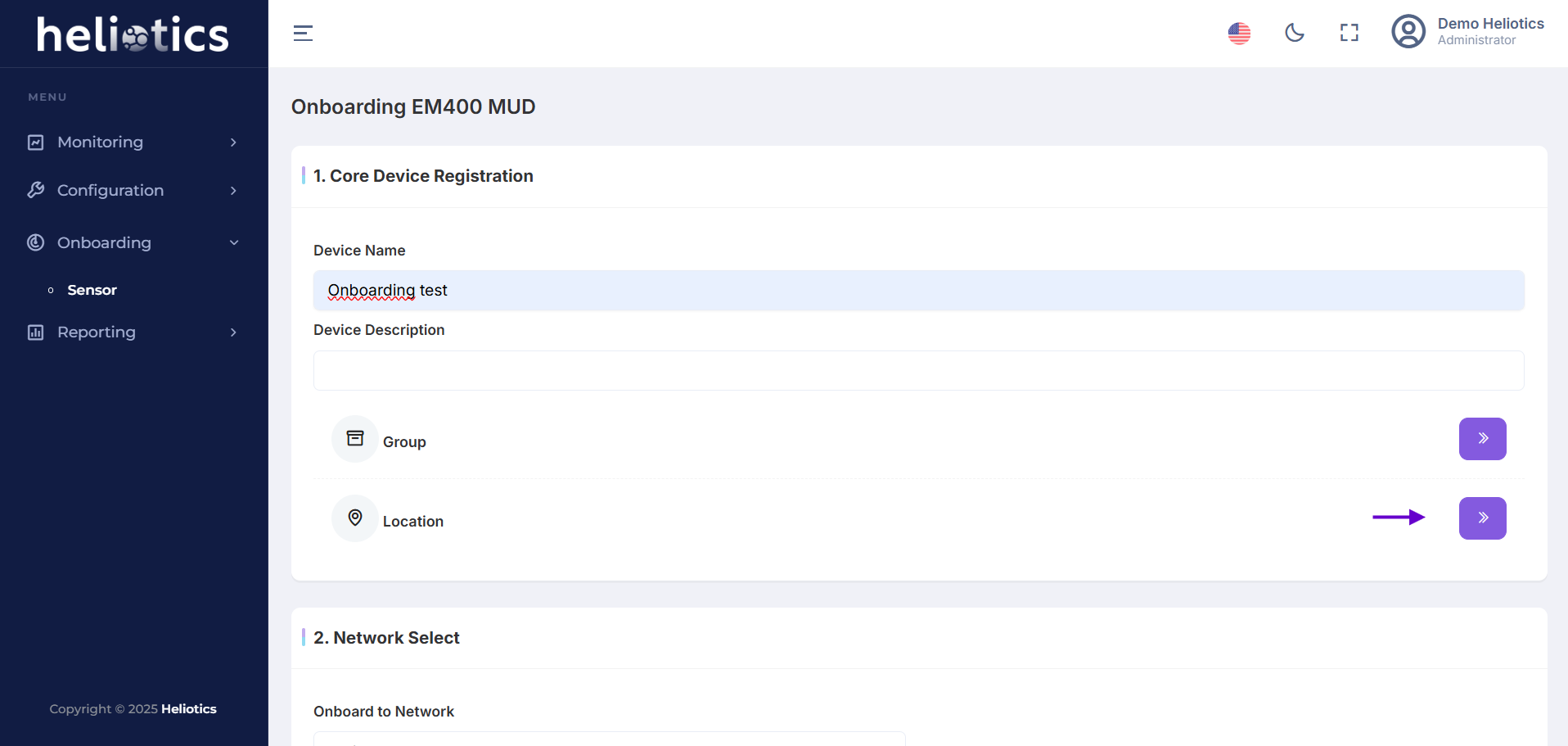
Use one of the following methods to add the location:
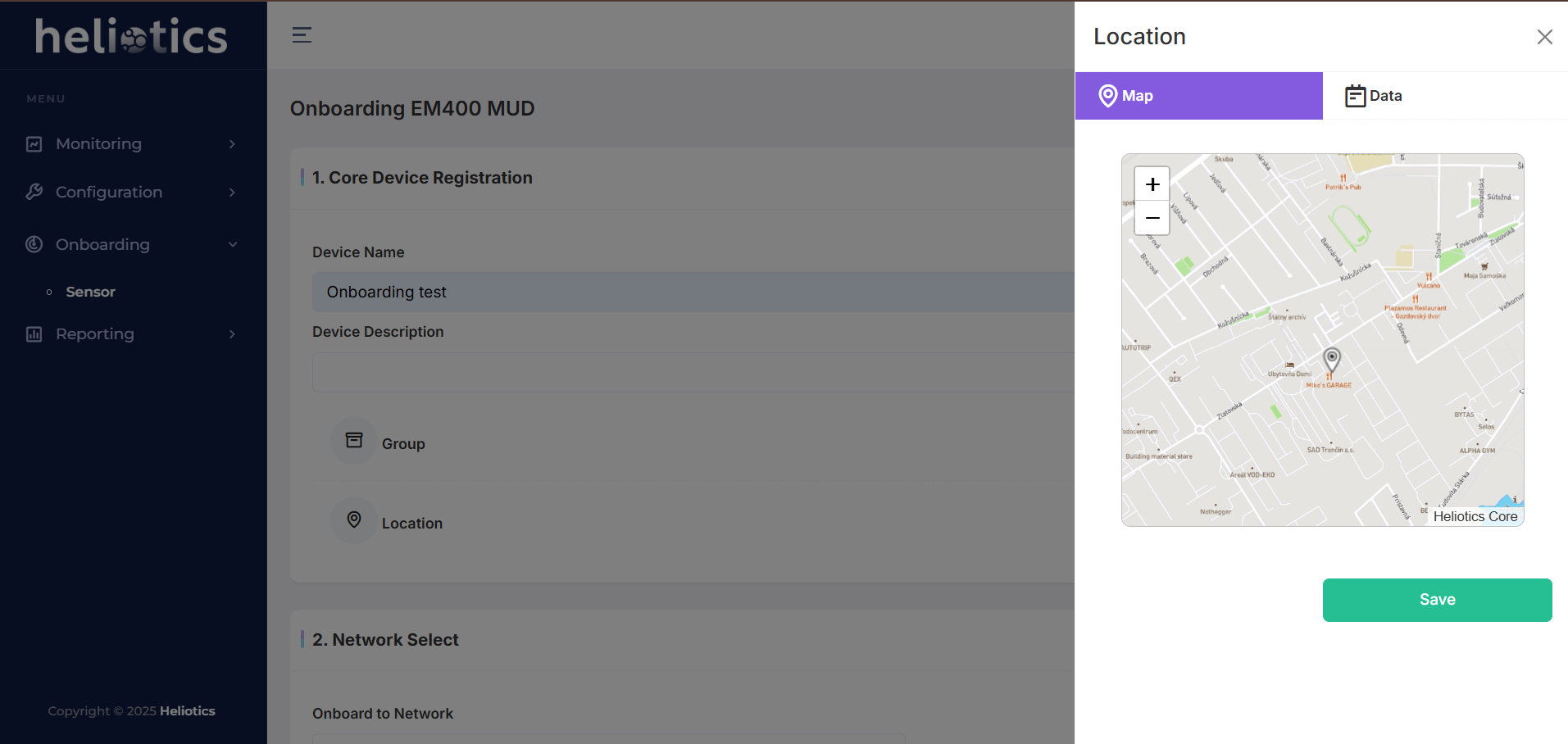
Map-Based Selection
- Use the interactive map to pinpoint the exact location of the sensor
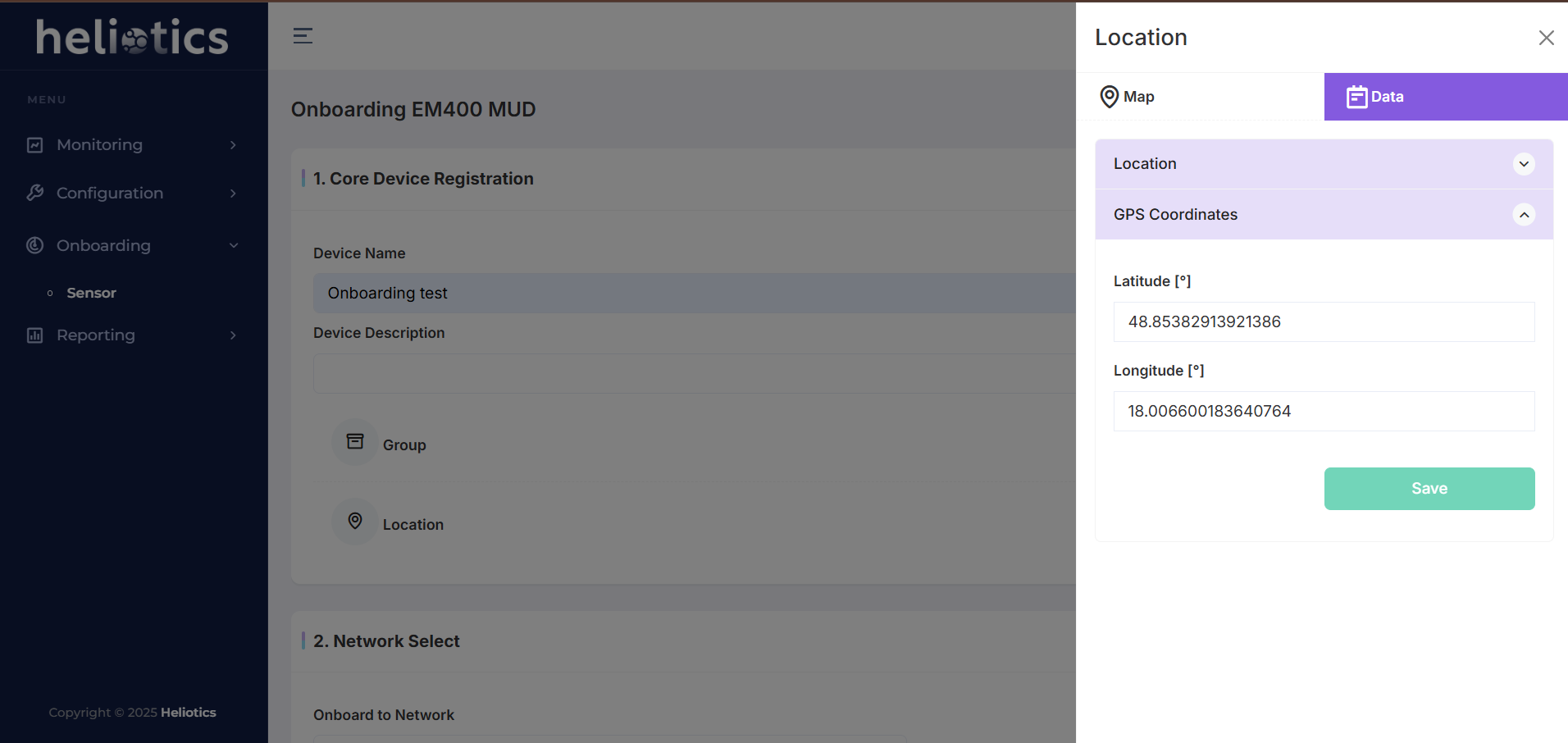
Manual Entry
- Enter the Latitude and Longitude coordinates directly
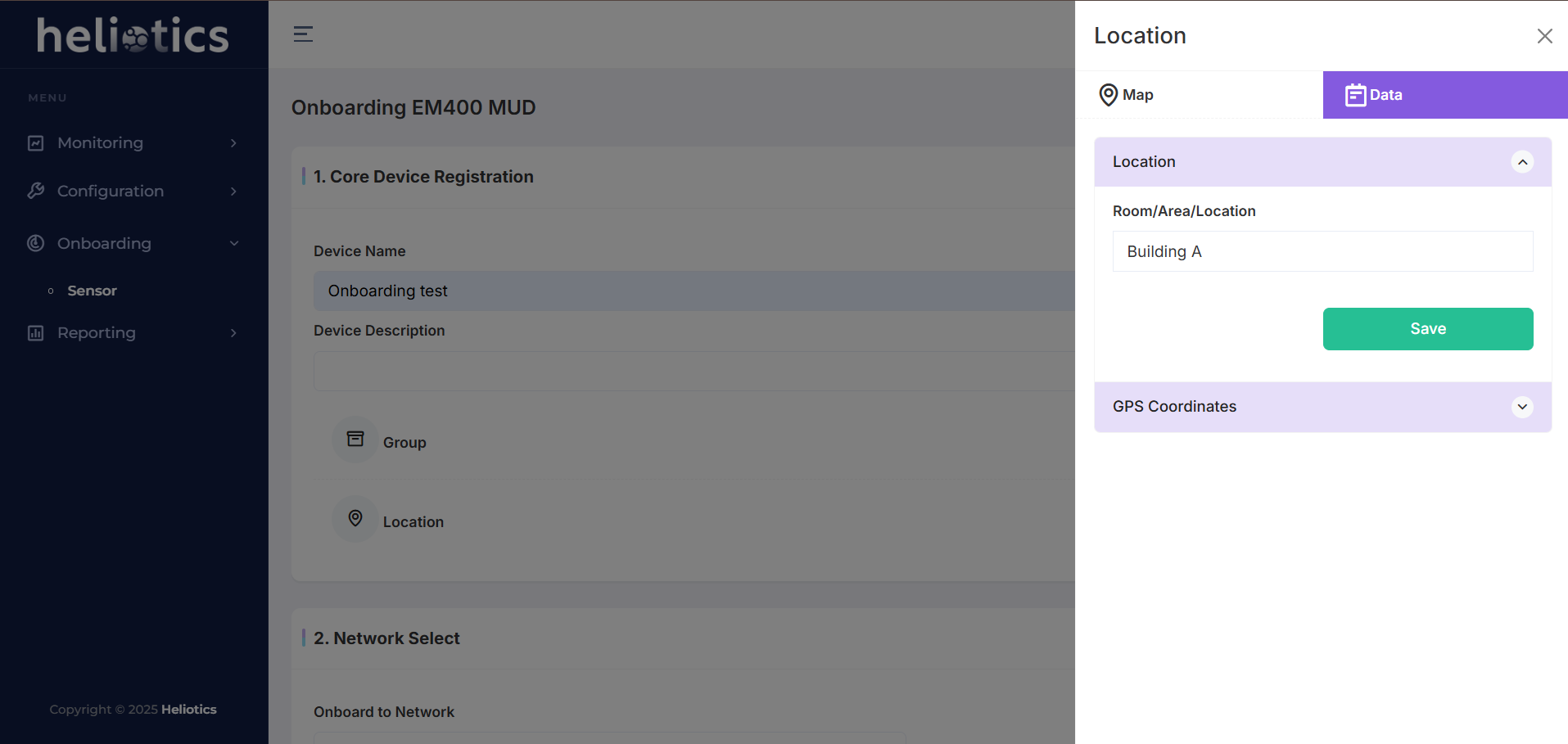
Location Name
- Add a descriptive name for the location (e.g., "Main Warehouse" or "Building A")
Save and Continue
- After entering the location details, save the information and complete the onboarding process
Adding Location Through Sensor Details
- Navigate to the Dashboard and locate the sensor for which you want to add a location
- Click on the sensor to view its details
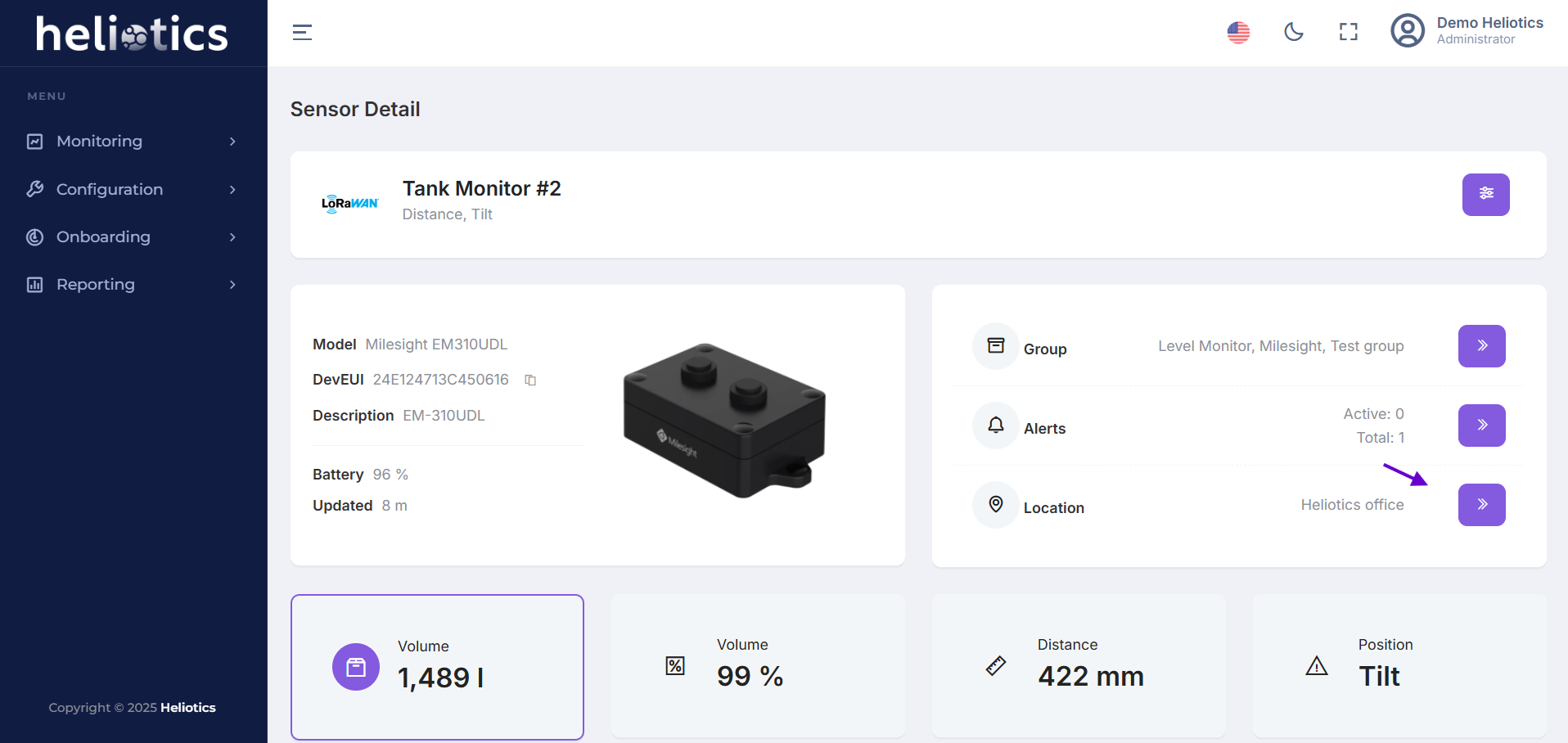
Use the following methods to specify location:
- Interactive Map: Drag and drop the pin to the desired location
- Coordinates: Manually input the Latitude and Longitude
- Location Name: Provide a meaningful name for easy identification